
Planning Scenes For A Top-Down RPG
Area Planning
The first step of creating a scene is to get an idea of the area around it. For this post, I'm going to be going over the process of a river scene I've been working on. So the first step to implementing this scene is creating the small river sequence it sits in.
River Sketches
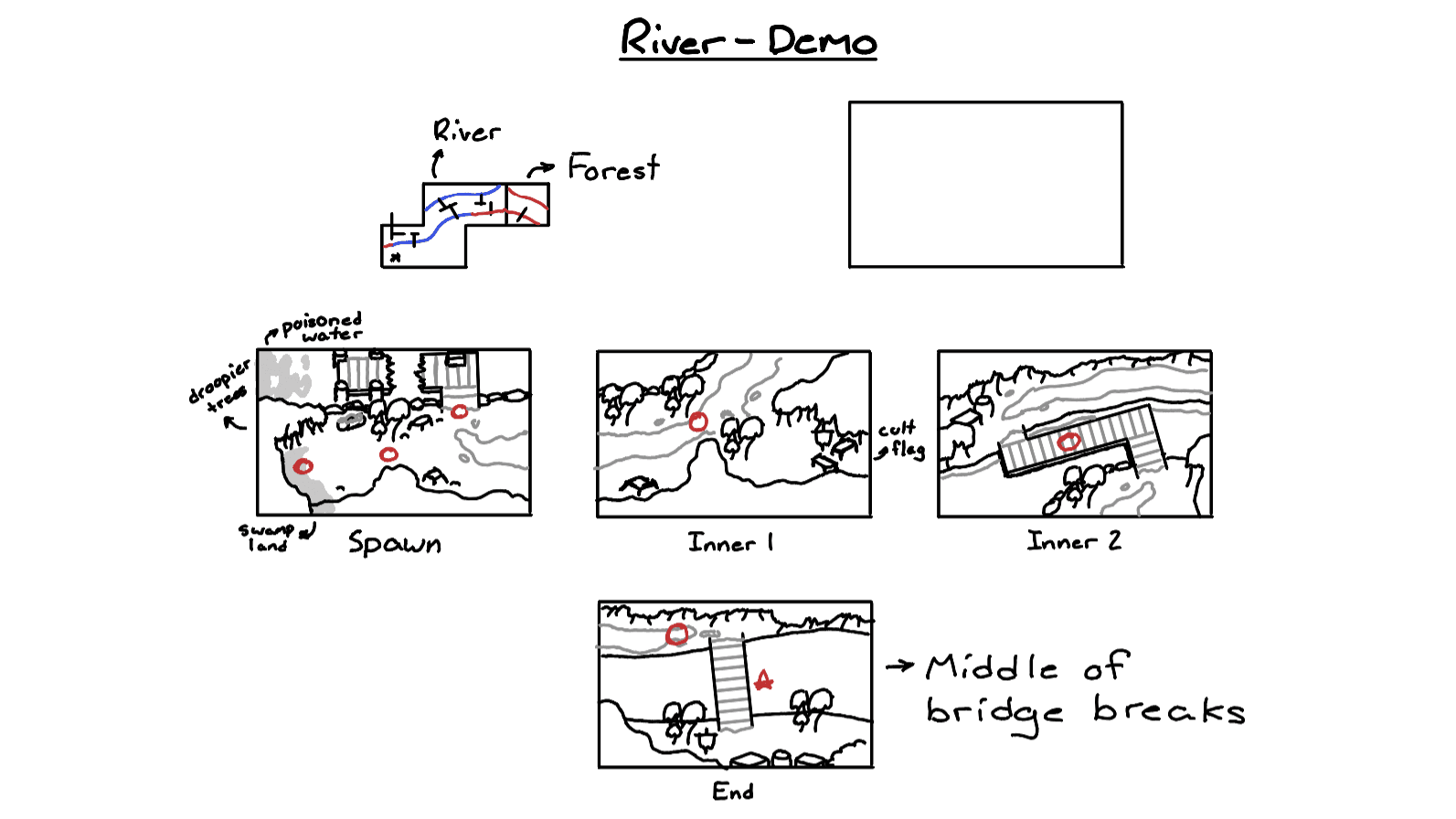
These sketches are not meant to be detailed or finished products, they simply give me an idea of how I want to use space in the scene. I mark where the trees should generally be, what the ground should look like, what objects/enemies should be placed where. It's transferring idea from my head into a physical drawing.
Forest Sketch
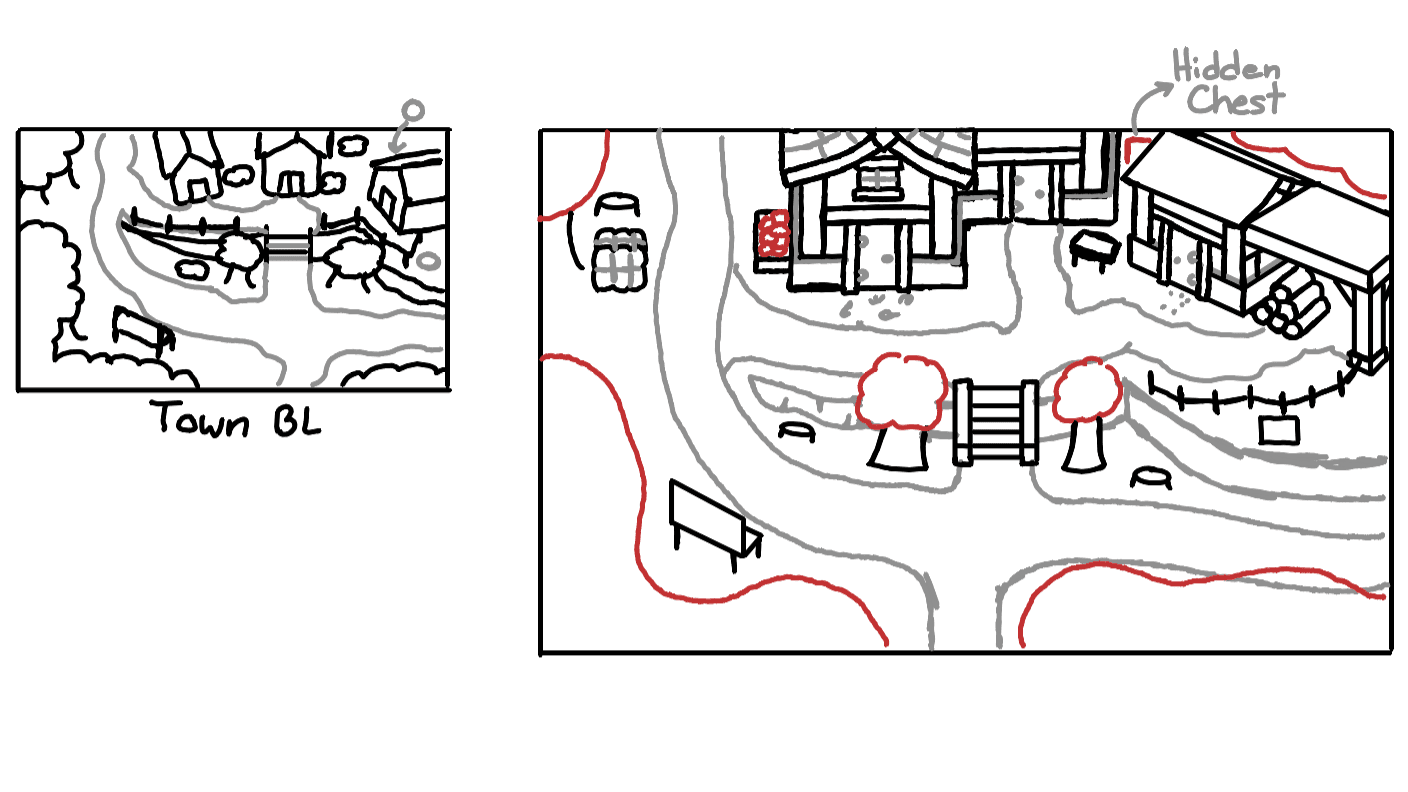
In the past, I've taken these small sketches and enlarge them into more detailed, polished pieces. But recently I've just stuck to the smaller sketches as the additional detail doesn't add enough for the additional time spent to be worth it.
Initial Draft
After the initial sketches, I move on to the first draft the scene in Aseprite. This is a rough pass covering the ground, trees, and any important objects to the scene.
River - Inner 2 - Draft
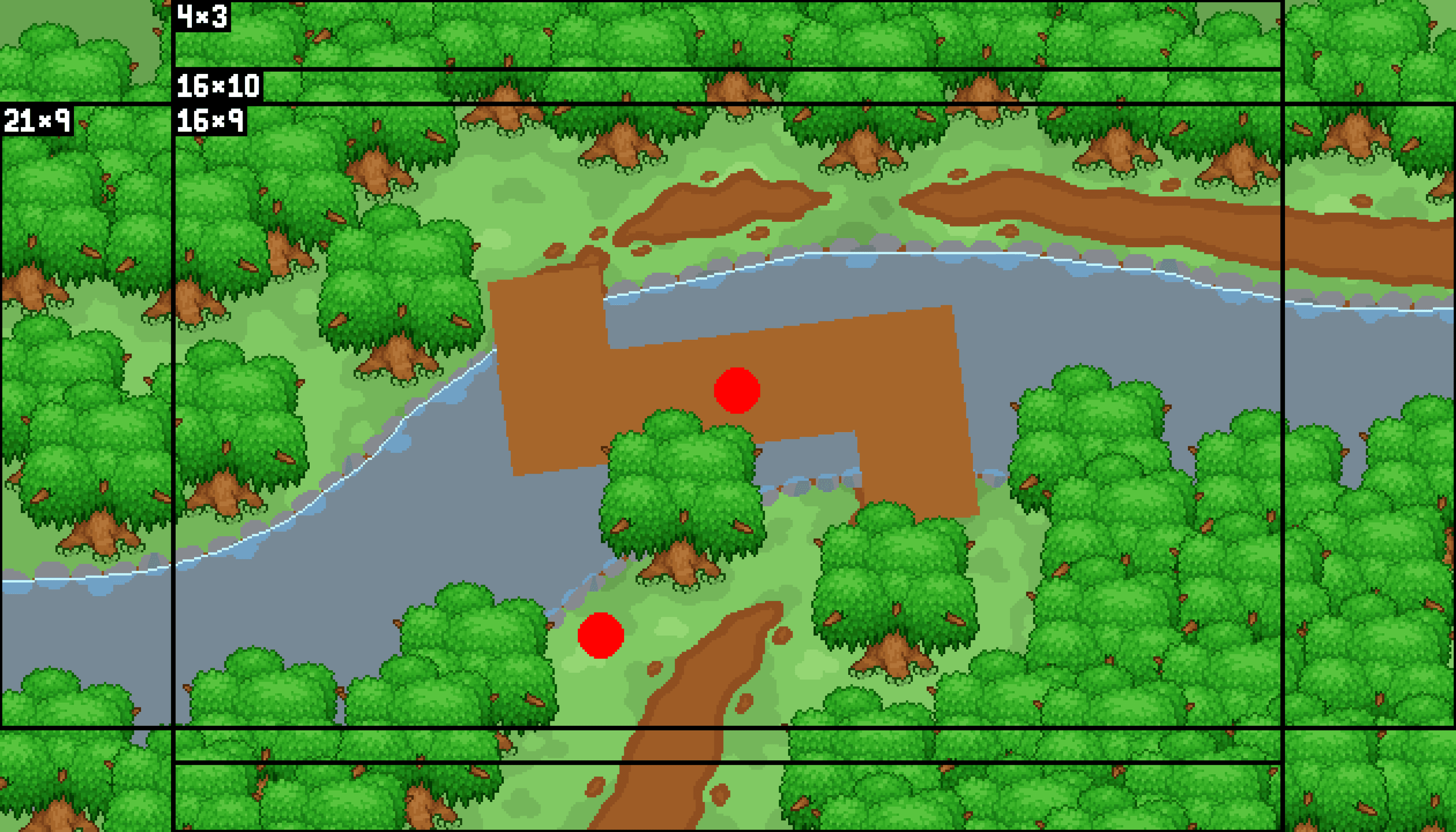
Note: this game was original designed to be displayed in a 16:9 aspect ratio. However, I realized I should support most common ratios, so I expanded the scenes to support ratios from 4:3 to 21:9.
The content outside the 16:9 range shown above is non-essential and will only be shown on monitors with ratios other than 16:9
Once the rough draft is complete, I can export the ground texture, and any other objects I need, and import them into Godot, the game engine I'm using for this project. Once inside of godot, I replace the trees using objects instead of sprites.
Screenshot of Godot without color variations
Screenshot of Godot with color variations